September 05, 2026
How to Make a Pet Photo Book That Tells a Story
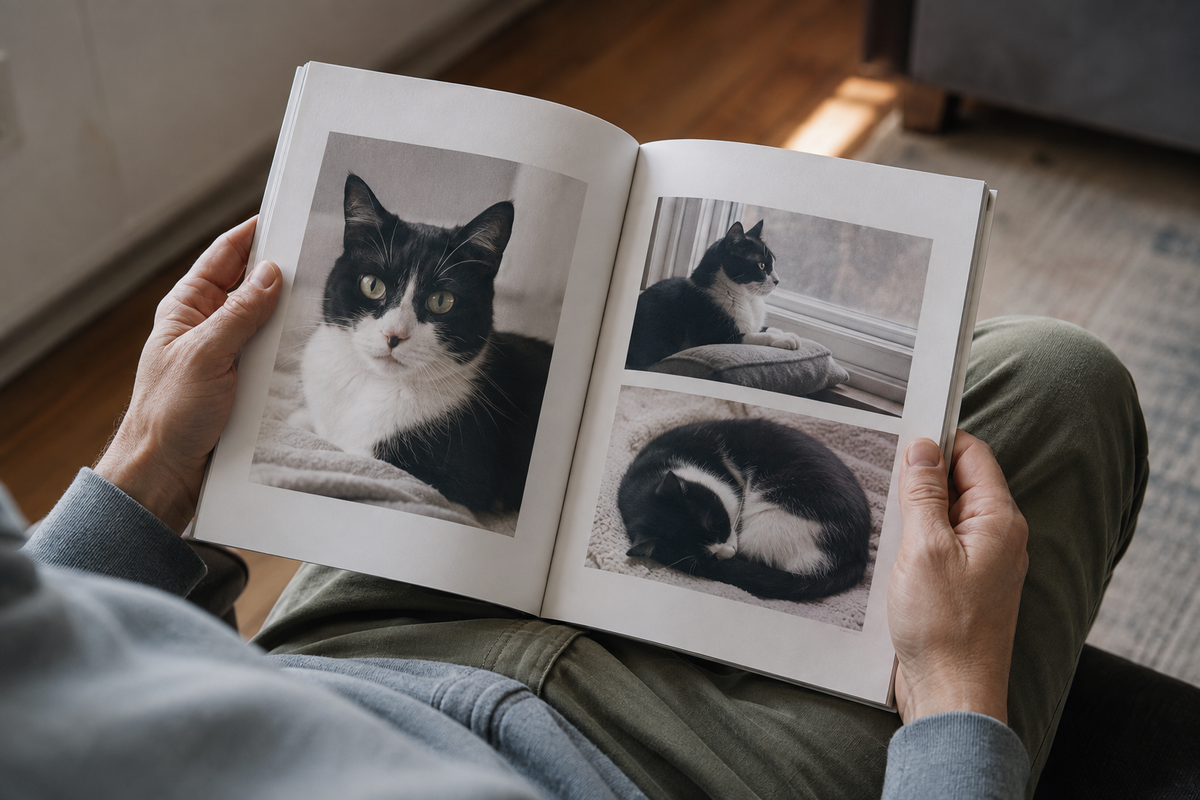
A camera roll can contain twenty versions of the same nap. A book needs fewer pictures, with enough room to see why each one stayed. When deciding how to make a pet photo book, choose a scope small enough to finish: one year, a familiar routine or a life remembered.
Start with a rough sequence before choosing a cover or opening a printing template. The example below uses six spreads, meaning six pairs of facing pages. It is an editing exercise, not a printer's minimum page count. Add or remove scenes to suit your photographs and the book format.
A six-spread book, sketched on paper
Fold a few sheets or draw six rectangles on paper. Write the scene for each spread underneath it. These pet photo book ideas work with a dog, cat or another companion animal; the photographs should come from their actual life rather than a list of poses to recreate.
| Spread | Pictures to look for | What the caption adds |
|---|---|---|
| An introduction | One recognisable face and a view of home | Name, place and the period covered |
| An ordinary morning | A favourite resting spot and one small habit | What happened there most days |
| A familiar route | A walk, window view or room they used often | The name your household used for it |
| People and company | A shared activity or relaxed moment together | Who is pictured and what they were doing |
| A change | A new season, home or routine | What changed, without guessing a date |
| The last page | One photograph you want to leave with the reader | A short detail, or no caption at all |
The sequence does not need a dramatic event. A window seat photographed in different seasons can show time passing. If all your strongest photographs come from one afternoon, let the book cover that afternoon instead of padding it into a biography.
Make a working folder without losing the originals
Ask family members for original files when they have them. A screenshot from a chat may be the only version left, but check before building a full page around it. Crop and adjust colour on a working copy, leaving the source file untouched.
The Library of Congress guidance on digital photographs recommends gathering important images, keeping the highest-quality version, using descriptive names and keeping copies in different places. It also recommends checking that the files remain readable. A printed book should sit alongside those copies, rather than become your only record.
A filename such as window-seat-winter is more useful during editing than a long camera number alone. If you rename a copy, note its original filename. Leave uncertain dates on a separate list; a template asking for a year is not a reason to guess one.
Pair a scene with a detail
Place one picture that explains the setting beside one that rewards a closer look. A dog waiting at the back door can sit opposite a smaller image of muddy paws. A wide view of a cat's window seat can be paired with the face in the light. The pair adds information without requiring two equally large photographs.
Choose between near-duplicates by asking what each contributes. Keep the frame with the expression, or the one that makes the action clear. If both tell the same story, put the other in the archive folder. Leave some space around the remaining photograph instead of filling every gap with clip art.
For new pictures, our at-home dog photography guide describes a brief, voluntary session. For dark coats, the black cat photography guide explains light and background choices. There is no need to repeat an old pose or add an accessory just to make a book feel consistent.

Judge resolution at the size on the page
Place a small photograph in the layout before deciding it needs a whole page. Read any low-resolution warning: the picture may simply need less space.
Blurb's image-resolution guidance explains that usable print detail depends on the image's pixel dimensions and its placed size. Its suggested fixes include reducing the picture on the page or finding a higher-resolution original. Enlarging the pixel count does not recover the detail the camera failed to capture. Follow your chosen printer's requirements rather than treating one resolution number as universal.
For a much-loved soft photograph, try a smaller position with a factual caption. You can preserve the memory without pretending the file is sharper than it is. If a new edit changes the colour of the coat or removes a familiar marking, return to the source and reconsider the adjustment.
Keep the face away from the cut and the fold
Turn on the printer's layout guides. Blurb's bleed and trim explanation distinguishes the cutting line, the safe area for important content and the extra image area needed for an edge-to-edge page. Keep eyes, ear tips and captions within the safe area specified for your chosen book.
The centre needs a separate check. Blurb's two-page spread guidance warns that content in the gutter can disappear or look uneven in its perfect-bound books. That warning is binding specific; the same page distinguishes its layflat format. Ask how your selected binding handles the centre before placing a face across it.
A border around an entire photograph is a useful alternative when a square template would cut away a tail or ear. Check each crop after changing the book size. A layout that fitted the previous shape may no longer keep the important parts inside the page.
Write captions that add something the picture cannot
Use captions for a place, a habit, a nickname or the person just outside the frame. Compare these invented examples: “A lovely day with our wonderful dog” and “The kitchen doorway, where he waited while the kettle boiled.” The second explains a habit beyond what is visible. Replace it with a memory you can confirm.
Short captions can sit beside longer ones. Leave a photograph uncaptioned when the words only repeat what is visible. Another household member can check spelling and dates. Ask before including their private message or photograph in a book intended for other people.
When the photographs are few
A memorial book can be brief. You can pair a single photograph with a place, an object or a written memory, and leave uncertain dates unstated. Do not create missing events or alter a pet's features to make the sequence look complete.
If you also have tags, notes or prints to keep, the pet memory box guide covers those physical objects. For one likeness rather than a book of scenes, pet memorial portrait ideas may help you decide which expression matters. Neither choice requires you to part with the original photographs.
Proof the book in the order someone will read it
Review the cover, every spread and the last page at a readable size. Look once for the story and again for practical errors: repeated pictures, awkward crops, misspelt names and empty text boxes. Check whether a caption refers to the photograph actually beside it after any rearrangement.
If you plan several copies, consider one proof copy before the full order. Save the final project or exported file when the service allows it, along with the selected original photographs and caption notes. Record the book format and version so that a later reprint starts from the edition you checked.