August 29, 2026
How to Photograph a Black Cat Without Losing the Face
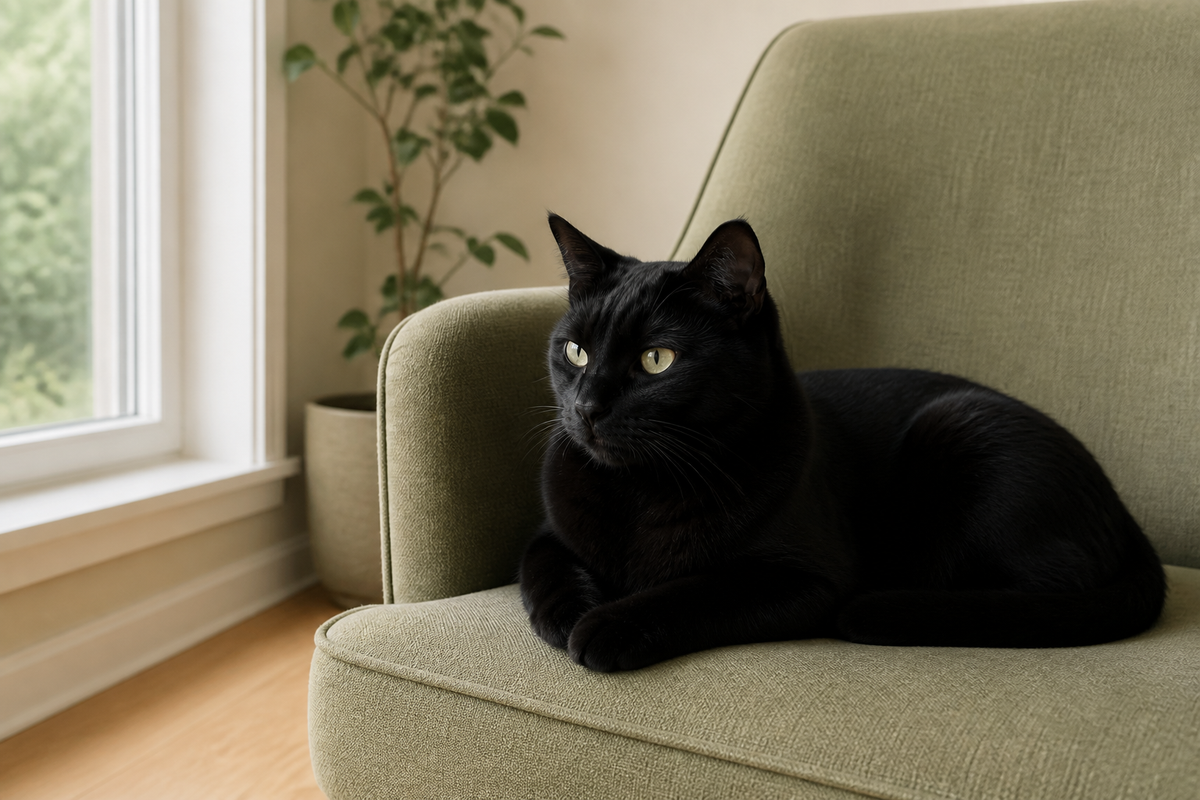
How to photograph a black cat is a lighting question before it is a camera question. Black fur can collapse into one flat shape when the face is underlit, the background is too dark or a bright window makes the camera expose for the room instead of the cat.
A useful photograph keeps the coat dark while revealing enough separation around the eyes, muzzle, ears and chest to recognise the cat. Brightening everything until the fur looks grey misses the point. You can test that with a phone, one window and a background the cat already chooses.
Decide whether you need likeness or silhouette
An atmospheric silhouette can be a lovely photograph, but it is weak evidence for a portrait maker. If the image will guide a custom portrait, the face, profile and coat boundary need to be readable. Keep the silhouette as a mood reference and make a separate technical reference in clearer light.
The pet portrait reference photo guide explains how one hero photograph and several supporting views work together. Here, the narrower problem is retaining information in a very dark coat.
Make a three-position light test
Wait until the cat settles near a large window. Take one frame with the cat facing the window, one with the window to the side and one with the window behind the cat. Do not move or hold the cat. Change your own position around the resting place.
Compare the face, not the brightness of the room. Front light often shows both eyes evenly. Side light can reveal the muzzle and the curve of the cheek. Backlight may give a strong outline but lose facial detail unless the room supplies enough light from the front.

Put the light across the coat
Soft light travelling across black fur can show small changes in direction and texture. Direct midday sun may create bright patches beside featureless shadow, while a thin curtain or open shade gives a gentler transition. Move yourself before moving the cat.
Cats Protection advises avoiding background light, using soft light behind the photographer or directed at the cat, turning off phone flash and focusing on the eyes. Its cat photography guide also recommends a background that contrasts with the fur. They are especially useful when both the coat and the room are dark.
Give the outline a middle-toned background
A white wall can make the camera protect the bright area and leave the cat too dark. A black sofa can make the ears and chest disappear. Try a middle tone such as muted green, dusty blue, warm wood or pale brown, then check the actual preview rather than choosing by colour name.
Look behind the tips of both ears, under the chin and along the chest. You do not need a perfect studio contrast. You need enough difference to tell where the cat ends. The guide to pet portrait backgrounds covers the later artistic choice; here the background is only evidence support.
Tap an eye, then change exposure in small steps
On an iPhone, Apple says you can tap the screen to move the focus area and drag the exposure control up or down. You can also hold the focus area to lock focus and exposure. Other phones use different controls, so check the camera help for the device in your hand.
Take three versions without moving: the automatic result, one slightly brighter and one slightly darker. Review the fur beside the eye and over the bridge of the nose. The brightest frame is not automatically the best. Stop when texture appears without making the whole coat look washed out.
Adobe's explanation of photographic exposure notes that a histogram has no single ideal shape; the subject changes what a useful graph looks like. A black cat image should naturally contain many dark tones. Judge whether the important detail is still present rather than trying to push the graph towards the middle.
Inspect four identity points
Zoom in only after taking the photograph. Check the nearer eye, the line from forehead to nose, the edge of each ear and the separation between chest and front legs. These points often reveal whether the camera recorded a face or only a dark oval.
Then check less obvious coat information. A black cat may have a small white patch, warm brown areas in strong light, faint tabby patterning or different fur direction around the neck. Do not strengthen a feature in editing unless another accurate photograph confirms it. The cat coat-marking guide shows how to label left and right sides without inventing symmetry.
Keep movement separate from exposure testing
Make the light and exposure test while the cat is resting. A moving cat adds blur and a changing angle, so you cannot tell which adjustment helped. Once one setting works, photograph a familiar walk, stretch or turn in short bursts.
Stay near eye level and leave the cat's exit route open. Cats Protection recommends short sessions and ending before the cat becomes distressed. If the cat turns away, leaves the light or stops settling, the test is over. End the session rather than forcing a technically cleaner frame.
Edit for legibility, not a different coat
Start with exposure and shadow adjustments rather than a heavy filter. Compare the edit with the original as you work. If the nose loses its shape, the fur becomes grey everywhere or the eyes look unnaturally bright, pull the adjustment back.
Keep an unedited original. A portrait maker may need to see what the phone recorded before colour and contrast changes. If two images disagree, state which one is closest to the coat in ordinary daylight.
Build a four-frame reference set
Keep one eye-level face in soft light, one side or three-quarter view for muzzle depth, one frame that shows accurate coat tone and one wider image for chest, legs and tail. The same photograph can fill two roles when it is clear, but label the role instead of sending a large unedited camera roll.
Choose pose separately from exposure. The pet portrait pose guide helps compare gaze and body position after the coat is readable. For an older or limited photograph, the memorial portrait guide explains how to separate emotional importance from missing visual evidence.
Send original files rather than screenshots. Current formats must come from the live felt pet portrait collection. A clear photograph supports a likeness, but it does not prove a product's size, material, delivery time or available customisation.